What is EffectCraft
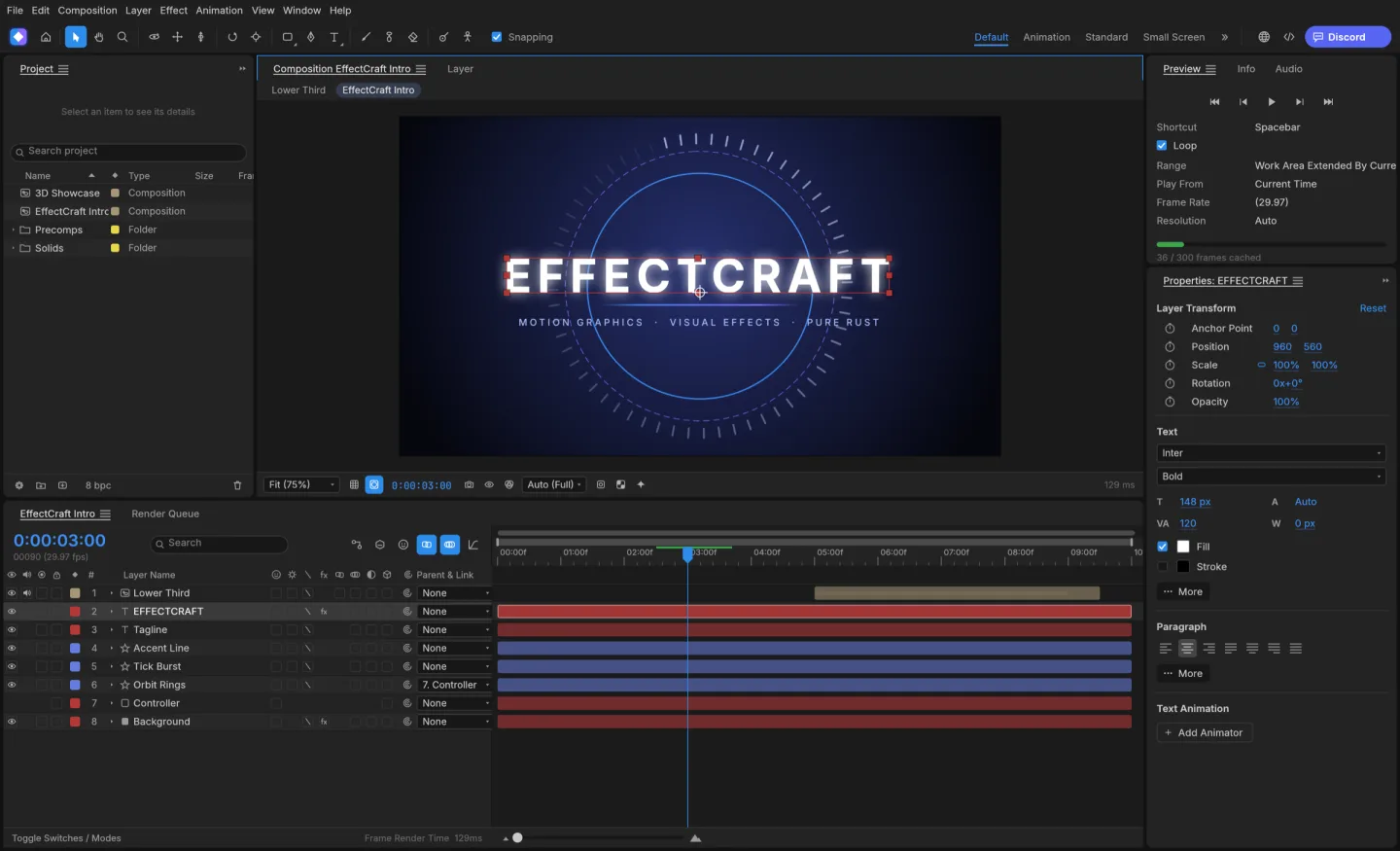
EffectCraft is ArtCraft's open-source motion graphics and compositing app. Its composition and timeline workflow brings together layers, animation and effects for short motion pieces.
Source code is published under MIT or Apache-2.0. The app and its bundled assets have their own notices; this independent site keeps the upstream web build unchanged.
Source: EffectCraft repository · Checked 2026-10-16.
How to use EffectCraft online
Create a short composition
Start with a small frame size and short duration while you learn the app.
Add layers and keyframes
Animate a shape or text layer, preview the result, then add complexity gradually.
Test your output early
Save the project and try the available export options before committing to a longer animation.
Make room for the work
Compose in layers
Combine text, shapes and media in a composition. Keep a simple layer structure while you establish the visual idea.
Animate deliberately
Use keyframes and timing controls to move from one state to another. Preview short sections while adjusting the motion.
Build an effects workflow
Explore effects on a small composition first. Rendering behavior and supported output options depend on the release and browser environment.
What you can and cannot do yet
Use the features above as a starting point. Keep these limits in view:
- After Effects project files, expressions and plugins are not a compatibility guarantee.
- Complex effects and long compositions can exceed browser resources; begin with a small test.
- Render and export capabilities may differ from native desktop builds.