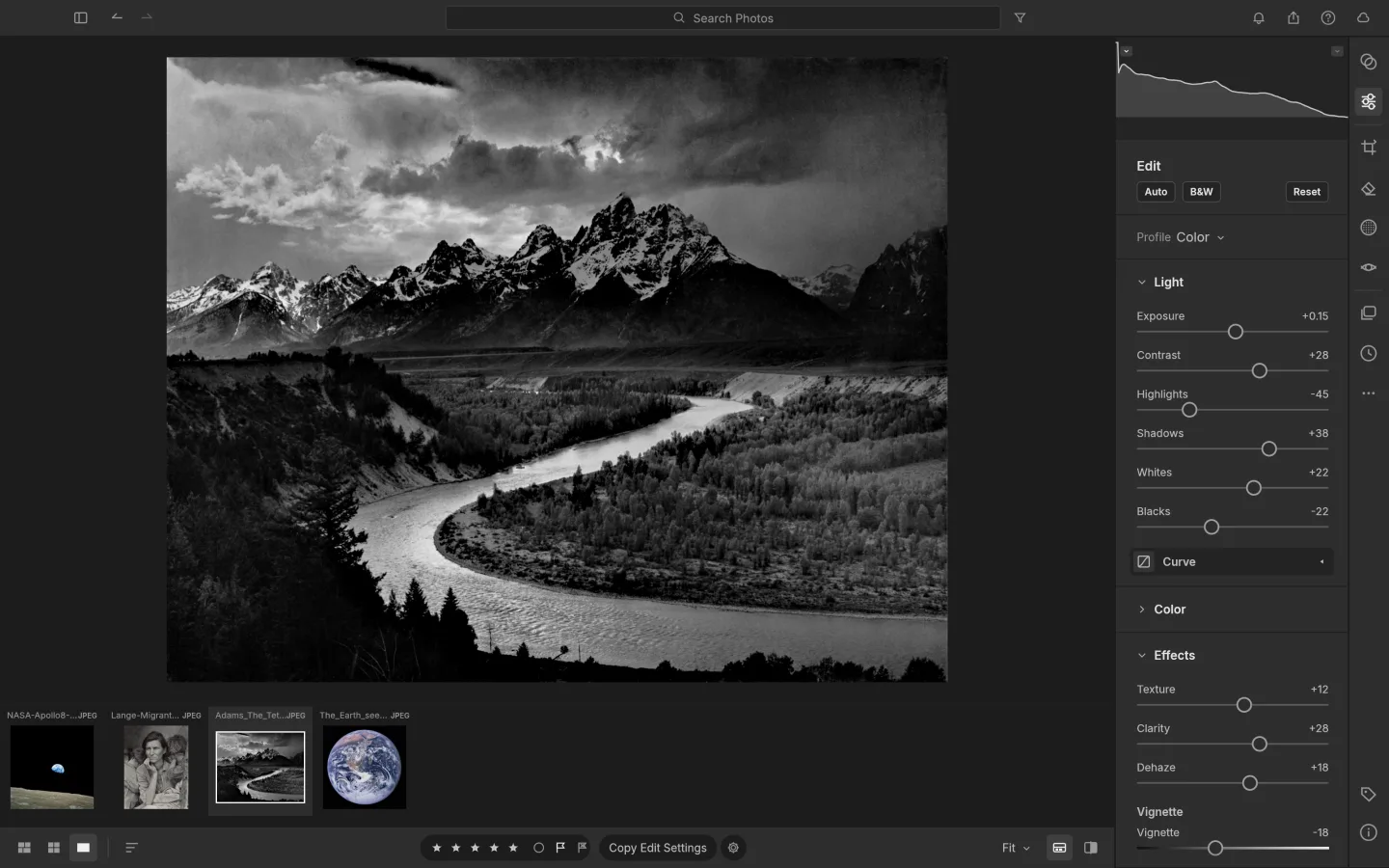
What is LightCraft
LightCraft is the ArtCraft team's open-source, non-destructive photo editor. Its workflow centers on developing a photograph: exposure, tone, color and local refinements, rather than assembling a multilayer composition.
Source code is published under MIT or Apache-2.0. The app and its bundled assets have their own notices; this independent site keeps the upstream web build unchanged.
Source: LightCraft repository · Checked 2026-10-16.
How to use LightCraft online
Choose a photograph
Open the browser build and import a copy of a supported image. For camera RAW files, verify your particular camera and browser build first.
Develop the image
Begin with exposure and tone, then refine color and local detail. Compare before and after as you work.
Export a separate copy
Save the edit and export the result. Check the downloaded image's dimensions and appearance in your intended destination.
Make room for the work
Start with the light
Adjust the tonal balance of a photograph with the development controls. Make a restrained first pass before adding stronger contrast or color changes.
Refine the color
Use color and tone controls to build a consistent look. Compare your result with the original rather than making every adjustment in isolation.
Keep a reproducible edit
The non-destructive workflow separates development choices from your source image. Save the work and export a separate image for delivery.
What you can and cannot do yet
Use the features above as a starting point. Keep these limits in view:
- The experimental browser library is stored in browser site storage, which may be cleared. Keep original photos elsewhere and use File › Back Up Library.
- Treat camera RAW support as camera- and build-specific; a familiar file extension alone does not prove compatibility.
- The web build is a substantial download. Photo decoding and development also use your device's CPU, GPU and memory.
- This is evolving software. Test batch workflows, color management and exports before relying on it for client delivery.