What is PhotoCraft
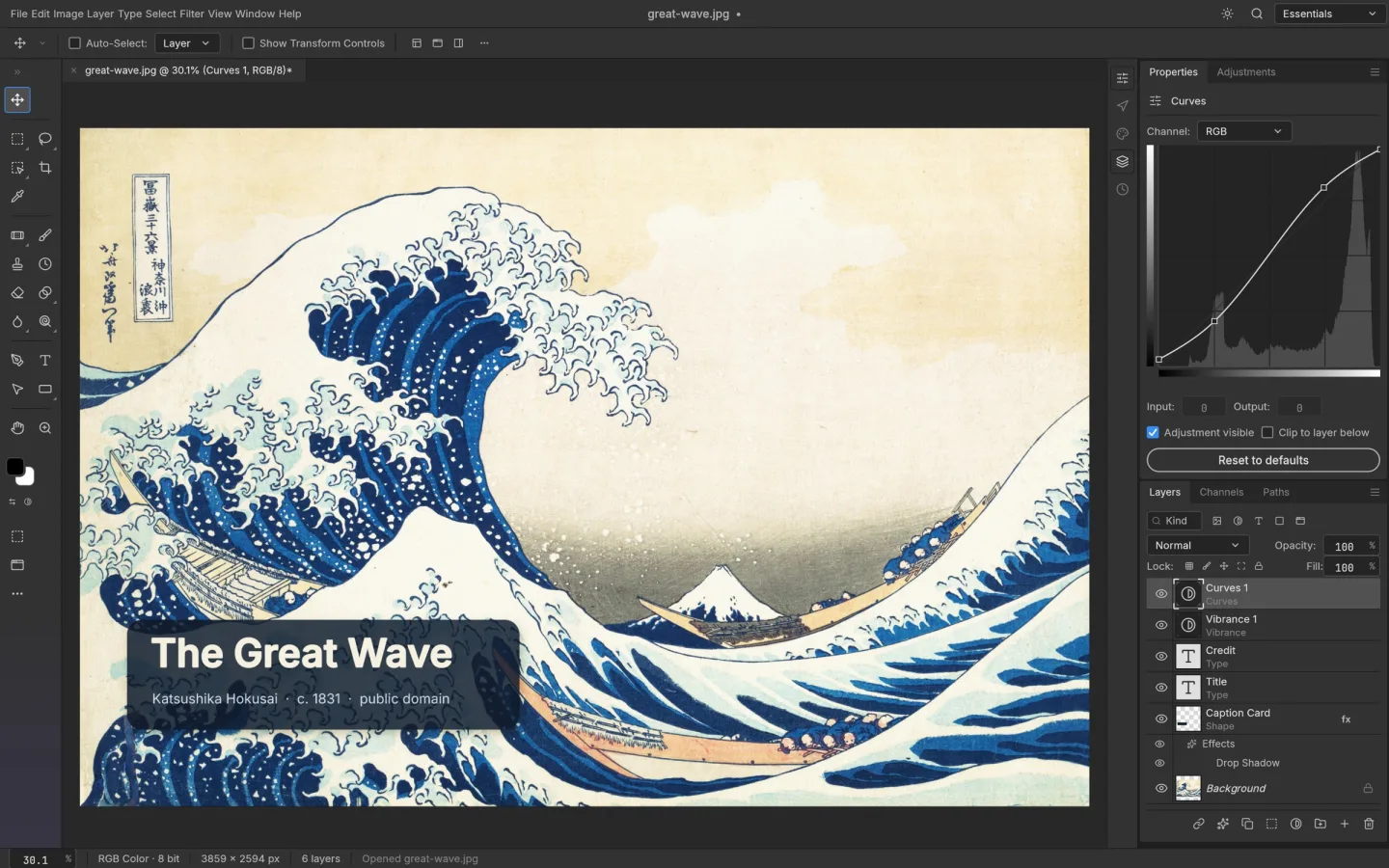
PhotoCraft is a free, open-source image editor by the ArtCraft team, written in Rust. Work with layers, masks, adjustment layers, type, vectors and brushes in a native app or a WebAssembly browser build.
Source code is published under MIT or Apache-2.0. The app and its bundled assets have their own notices; this independent site keeps the upstream web build unchanged.
Source: PhotoCraft repository · Checked 2026-10-16.
How to use PhotoCraft online
Launch the editor
Choose Launch PhotoCraft above. Its first launch downloads the editor files; use a recent desktop browser with graphics acceleration enabled.
Open a copy of your image
Create a document or use the editor's Open action. Keep your original untouched, then try layers, a mask, or an adjustment on the copy.
Save and verify
Save an editable document, export an image, and confirm that the downloaded result opens correctly before closing your tab.
Start PhotoCraft above or install PhotoCraft on macOS, Windows or Linux.
Make room for the work
Keep the original intact
Use adjustment layers and masks to change color or contrast without committing every edit to the source pixels. Keep an editable file as well as your final export.
Work in layers
Combine photos, shapes and type. Organize layers, experiment with blend modes, and use masks to control which parts of an edit are visible.
Bring a PSD, then check it
The upstream project supports opening and saving layered PSD and PSB documents. Support is evolving; inspect fonts, effects and exported results in your destination editor.
What we checked in PhotoCraft online
On 16 October 2026, we tested the hosted v0.9.0 browser build with a 2400 × 1500 JPEG. We opened the image, drew a visible brush mark, saved a PSD to the computer, and reopened that downloaded file. The mark and the document dimensions were retained.
This is a basic editing and saving check with one image. It does not establish that a complex Photoshop project will transfer unchanged. Before moving a layered document, check the fonts, masks, blend modes and effects that matter to your work, then reopen the result in the editor where it will be used.
Keep both the untouched source and the downloaded result. If an important feature behaves differently, use a desktop build or an established editor for that project, and report a reproducible example to the upstream issue tracker.
PhotoCraft vs Photoshop vs Photopea
All three support layered image editing. Source availability, the surrounding ecosystem and production readiness make the practical difference.
| Choose around | PhotoCraft | Photoshop | Photopea |
|---|---|---|---|
| Source | Open source | Proprietary | Proprietary |
| Access | Browser & desktop | Adobe apps & web | Browser |
| Readiness | Early alpha | Mature product | Established browser editor |
What you can and cannot do yet
Use the features above as a starting point. Keep these limits in view:
- PhotoCraft is an early alpha. The upstream team says it is not yet a replacement for daily professional Photoshop work.
- Photoshop plugins, advanced typography, generative features and specialized production workflows should not be assumed to work.
- Browser builds can differ from native apps. Test important PSDs and color-sensitive work on copies; do not treat a successful import as proof of an exact round trip.