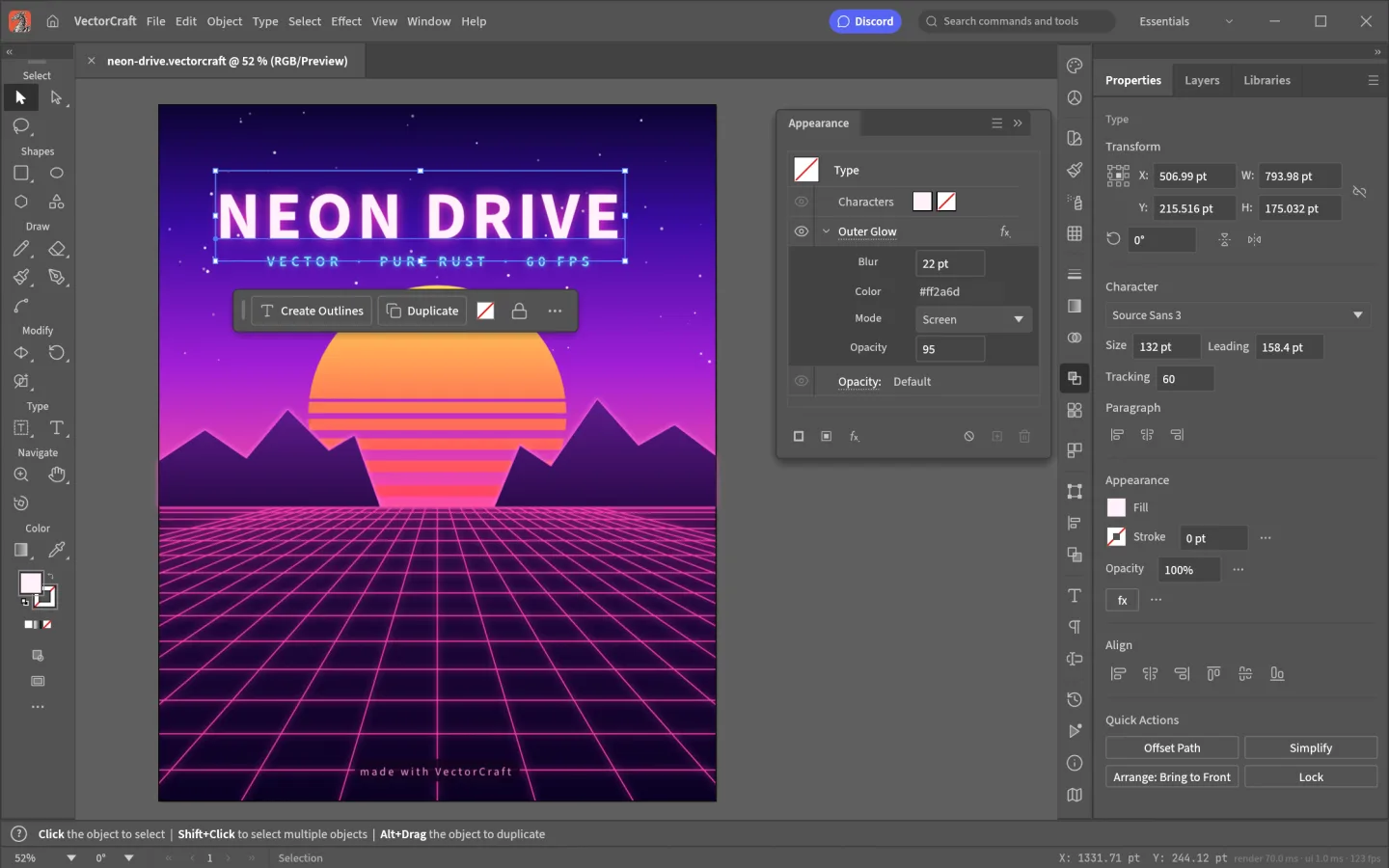
What is VectorCraft
VectorCraft is an open-source vector art app by the ArtCraft team. Use a path-based workflow for illustrations, posters, marks and other artwork that needs editable shapes rather than a fixed grid of pixels.
Source code is published under MIT or Apache-2.0. The app and its bundled assets have their own notices; this independent site keeps the upstream web build unchanged.
Source: VectorCraft repository · Checked 2026-10-16.
How to use VectorCraft online
Start an artboard
Launch the browser build and create a document sized for your illustration or layout.
Build and refine shapes
Combine simple forms, work with paths and add type. Keep related elements organized in layers.
Save the editable artwork
Keep an editable project and export a separate delivery file. Inspect how your destination app displays it.
Make room for the work
Shape the path
Build artwork from shapes and editable curves. Adjust anchor points and handles when a basic shape needs more precise control.
Organize the composition
Use artboards and layers to keep a poster, illustration or set of design variations understandable as it grows.
Check the final output
Create with vectors, then choose an appropriate export for the destination. Inspect effects and typography after export or import into another app.
What you can and cannot do yet
Use the features above as a starting point. Keep these limits in view:
- Do not expect complete Illustrator file, plugin or effect compatibility. Test representative artwork before migration.
- Font availability and text rendering can vary by operating system and browser.
- This is developing software; complex effects and large scenes can stress a browser tab.