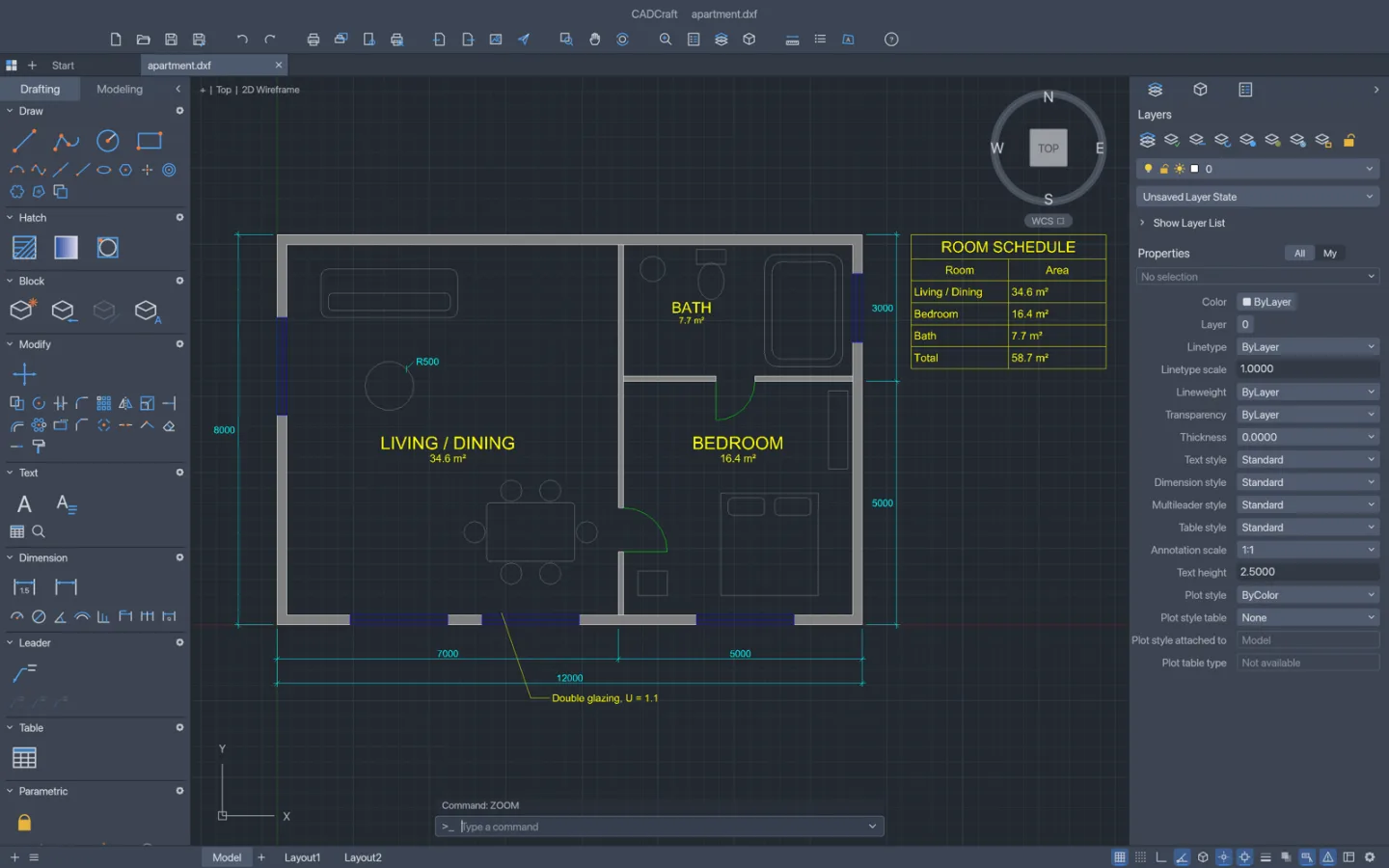
What is CADCraft
CADCraft is the ArtCraft team's open-source CAD app. Explore a drawing workflow with geometry and precision controls, while checking units and interchange before using the result beyond a test project.
Source code is published under MIT or Apache-2.0. The app and its bundled assets have their own notices; this independent site keeps the upstream web build unchanged.
Source: CADCraft repository · Checked 2026-10-16.
How to use CADCraft online
Set up a small drawing
Choose units and create a simple shape with known dimensions.
Add and inspect detail
Try precision controls and check a few coordinates or measurements.
Save and cross-check
Download the drawing and verify its scale and geometry in your destination application.
Make room for the work
Establish the geometry
Start with a simple drawing whose dimensions are known. Choose units deliberately and verify them before adding detail.
Work precisely
Use the drawing and precision controls available in the release. Check coordinates and dimensions against the intended geometry.
Validate the interchange
Save and reopen a test drawing in the destination CAD application. Inspect scale, entities and dimensions rather than only the screen preview.
What you can and cannot do yet
Use the features above as a starting point. Keep these limits in view:
- Do not assume full AutoCAD entity, DWG, plugin or automation compatibility.
- A screen preview is not proof that geometry, units or exported dimensions are correct.
- Validate engineering and production requirements independently before using a drawing for fabrication or construction.